Pofidemore than files
料金FAQ
ログイン無料で始める
PDFJPGPNG

PDF to 画像

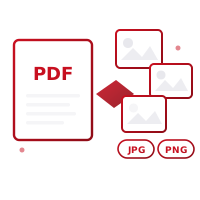
変換 your PDF pages into high-resolution JPG or PNG images. Each page is rendered as its own image — single-page PDFs download directly as an image, multi-page ones as a ZIP archive. Resolution and format are entirely under your control, with no loss of quality.

無料で始めるダッシュボードへ

無料クレジット · クレジットカード不要

機能

機能

JPG and PNG output support — choose transparency or smaller file size based on your needs
Customizable resolution from 600px up to 3000px
Single-page PDFs download directly as an image, multi-page ones are zipped automatically
Review every page with a live preview before converting
Zoom controls let you inspect page previews up close
Everything happens in your browser — your files are never uploaded to a server
Works seamlessly on iOS, Android and desktop browsers
Your original PDF stays unchanged and read-only

使い方

使い方

01

Select Your PDF

Choose the PDF file you want to convert to images, or drag and drop it.

02

Set Format and Resolution

Pick PNG or JPG output and set the resolution between 600px and 3000px. See every page in the live preview.

03

Export and Download

Single-page PDFs download directly as an image; multi-page ones download as one ZIP containing all the images.

ユースケース

対象ユーザー

Designers who want to turn PDF pages into image assets for a website or presentation
Content creators who want to convert PDF content into shareable social media images
Office staff who want to convert scanned documents into a page-by-page image archive
Students who want to embed specific report pages as images into a presentation or document
Users who want to share content visually in environments without a PDF viewer

FAQ

よくある質問

Which format gives the best quality when converting PDF to images?
PNG offers lossless compression and is ideal for pages containing text. JPG provides a smaller file size, which works better for photo-heavy PDFs.
Can I adjust the resolution of the output images?
Yes, you can pick any resolution between 600px and 3000px with the slider; higher values suit print quality, lower values are fine for web use.
What happens when I convert a multi-page PDF to images?
Each page is generated as a separate image file and downloaded together in a single ZIP archive. For single-page PDFs, the image downloads directly without needing a ZIP.
Do the converted images keep the original PDF quality?
Yes, since the resolution you choose is applied directly, there's no quality loss; selecting a higher resolution keeps page details (text, images, drawings) crisp.
Are my files uploaded to a server?
No, the entire conversion happens completely in your browser. Your PDF file is never sent to any server.

関連ツール

画像をPDFにテキストをPDFにWordをPDFにExcelをPDFにスライドをPDFにPDFをWordに

あなたのプライバシーは保護されています

すべてのPDF操作はお使いのデバイス上で行われます。ドキュメントがサーバーにアップロードされることはありません。

無料で始める
Pofidemore than files

よりスマートなPDF処理。ウェブとモバイルで、安全かつ無料。

無料で始める
Pofidemore than files

よりスマートなPDF処理。ウェブとモバイルで、安全かつ無料。

無料で始める

PDFツール

  • 結合 PDF
  • 分割 PDF
  • 圧縮 PDF
  • 署名 PDF
  • PDF セキュリティ
  • 編集 PDF
  • 整理 ページ
  • 追加 透かし

変換と作成

  • 画像をPDFに
  • テキストをPDFに
  • QR / バーコード
  • WordをPDFに
  • ExcelをPDFに
  • スライドをPDFに
  • PDF to 画像
  • Zip / 解凍

会社概要

  • 料金
  • FAQ
  • お問い合わせ
  • サポート

法的情報

  • プライバシーポリシー
  • 利用規約
  • クッキーポリシー
  • KVKK開示
  • アカウント削除
PDFツール
  • 結合 PDF
  • 分割 PDF
  • 圧縮 PDF
  • 署名 PDF
  • PDF セキュリティ
  • 編集 PDF
  • 整理 ページ
  • 追加 透かし
変換と作成
  • 画像をPDFに
  • テキストをPDFに
  • QR / バーコード
  • WordをPDFに
  • ExcelをPDFに
  • スライドをPDFに
  • PDF to 画像
  • Zip / 解凍
会社概要
  • 料金
  • FAQ
  • お問い合わせ
  • サポート
法的情報
  • プライバシーポリシー
  • 利用規約
  • クッキーポリシー
  • KVKK開示
  • アカウント削除

© 2026 Pofide. 全著作権所有。