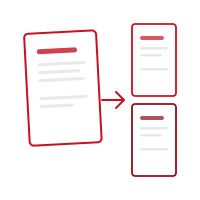
Fitur
- Pembagian presisi berdasarkan rentang halaman (mis. 1-3, 5, 7-9)
- Opsi untuk mengekstrak setiap halaman sebagai file PDF terpisah
- Pilih dan ekstrak halaman tunggal atau grup halaman
- Tiga mode pembagian: pemotongan manual, bagian sama, atau setiap N halaman
- Semua proses berjalan di perangkat Anda — file tidak diunggah untuk diproses
- Sangat kompatibel dengan iOS dan browser web
Cara kerja
Pilih PDF
Pilih atau seret dan lepas PDF yang ingin dibagi. Semua halaman muncul sebagai pratinjau.
Pilih mode pembagian
Klik di antara halaman untuk memotong secara manual, membagi bagian sama, atau setiap N halaman.
Bagi dan unduh
Untuk setiap rentang dibuat PDF terpisah. Unduh semua sebagai ZIP atau satu per satu.
Batasan
- 1 berkasPDF
- File Anda tidak pernah meninggalkan perangkat Anda. Semua operasi terjadi secara lokal — tidak ada yang dikirim ke server.
Biaya kredit berbeda untuk setiap alat. Periksa biaya sebelum memulai; kredit bulanan bukan jumlah operasi yang tetap. Harga
Pertanyaan yang Sering Diajukan
Apakah membagi PDF mengubah dokumen asli?
Tidak, PDF asli Anda tidak pernah dimodifikasi. Pembagian membuat file baru sementara file sumber tetap utuh.
Bisakah saya menyimpan setiap halaman sebagai file PDF terpisah?
Ya, dengan opsi bagi setiap halaman Anda dapat mengubah dokumen 10 halaman menjadi 10 file PDF terpisah.
Apakah ada batas ukuran untuk membagi PDF?
Tidak, tidak ada batasan jumlah halaman atau ukuran file. Anda dapat membagi PDF berukuran berapa pun.
Perbedaan antara mode pemisahan?
Dalam mode gunting Anda mengklik di antara halaman untuk memotong di mana pun Anda suka; mode bagian yang sama secara otomatis membagi dokumen menjadi jumlah bagian yang Anda tentukan; mode setiap-N-halaman secara otomatis memotong setelah setiap N halaman.
Apakah file saya diunggah ke server?
Tidak. Semua pemrosesan PDF terjadi di browser Anda (atau di perangkat Anda di aplikasi seluler). Dokumen Anda tidak pernah dikirim ke server kami.
Apakah ada aplikasi seluler?
Ya! Aplikasi Pofide gratis diunduh di App Store. Termasuk paket gratis; paket berbayar untuk pemakaian ekstra.
Ukuran file PDF apa yang didukung?
Tidak ada batas ukuran file. File yang sangat besar mungkin membutuhkan waktu lebih lama tergantung perangkat dan browser Anda.