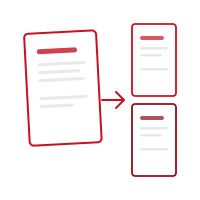
What it does
- Precise splitting by page range (e.g. 1-3, 5, 7-9)
- Option to extract every page as its own PDF file
- Select and extract single pages or groups of pages
- Three split modes: manual cut, equal parts, or every N pages
- Everything happens on your device — files aren't uploaded for processing
- Fully compatible with iOS and web browsers
How it works
Choose Your PDF
Select or drag & drop the PDF you want to split. All pages appear as previews.
Pick a Split Mode
Click between pages to cut manually, split into equal parts, or split every N pages.
Split & Download
A separate PDF is created for each range. Download them all as a ZIP or one by one.
Limits
- 1 filePDF
- Your files never leave your device. All operations happen locally — nothing is sent to a server.
Credit cost varies by tool. Check the displayed cost before starting; monthly credits are not a fixed number of operations. Pricing
Questions
Does splitting a PDF change the original document?
No, your original PDF is never modified. Splitting creates new files while the source file stays untouched.
Can I save every page as a separate PDF file?
Yes — with the "split every page" option you can turn a 10-page document into 10 separate PDF files.
Is there a size limit for splitting a PDF?
No, there's no limit on page count or file size. You can split a PDF of any size.
What's the difference between the split modes?
In scissors mode you click between pages to cut wherever you like; equal parts mode automatically divides the document into the number of parts you specify; every-N-pages mode automatically cuts after every N pages.
Are my files uploaded to a server?
No. PDF processing happens in your browser or in the iOS app on your device. Your documents are not sent to our servers for processing.
Is there a mobile app?
Yes. The Pofide iOS app is available on the App Store. It includes the free plan; paid plans are available for additional use.
What PDF file size is supported?
There is no file size limit. Very large files may take longer depending on your device and browser.