الميزات
- قيّد الطباعة كليًا أو اقصرها على دقة منخفضة
- عطّل نسخ النص والصور لمنع استخراج المحتوى
- تحكّم بشكل مستقل في تعديل المستند والتعليق وتعبئة النماذج
- حدد كلمة مرور مالك تقفل القيود دون الحاجة إلى كلمة مرور لفتح الملف
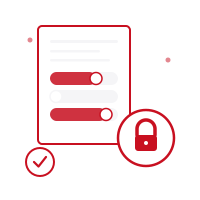
- بدّل كل إذن على حدة مع مؤشر واضح للسماح أو التقييد
- ترميز أذونات PDF قياسي متوافق مع Adobe Acrobat وأهم القارئات
- كل شيء يحدث على جهازك — لا تُرفع الملفات للمعالجة
- متوافق تمامًا مع iOS ومتصفحات الويب، مجاني الاستخدام
كيف يعمل
اختر ملف PDF
حدد ملف PDF الذي تريد تغيير إعدادات أذوناته، أو اسحبه وأفلته في الواجهة. يبقى ملفك على جهازك ولا يُرفع إلى أي مكان أبدًا.
تكوين الأذونات
بدّل أذونات الطباعة والنسخ والتعديل والتعليق وتعبئة النماذج واحدة تلو الأخرى. حدد كلمة مرور مالك لقفل اختيارات القيود.
نزّل ملف PDF المحمي
نزّل ملف PDF بعد تطبيق القيود التي حددتها. تصبح إعدادات الأذونات فعالة لحظة فتح المستند، دون حاجة لكلمة مرور لعرضه.
حدود
- ملف واحدPDF
- ملفاتك لا تغادر جهازك أبدًا. كل العمليات تتم محليًا — لا يُرسل شيء إلى خادم.
تختلف تكلفة الرصيد حسب الأداة. تحقق من التكلفة المعروضة قبل البدء؛ الرصيد الشهري لا يعني عددًا ثابتًا من العمليات. الأسعار
الأسئلة الشائعة
ما الفرق بين أذونات PDF والحماية بكلمة مرور؟
تحدد الحماية بكلمة المرور من يمكنه فتح المستند أصلاً. تتحكم الأذونات في ما يسمح به مستند مفتوح مسبقًا — الطباعة، النسخ، التعديل، التعليق — دون الحاجة إلى كلمة مرور لعرضه. يمكن دمج الاثنين.
هل تعمل هذه القيود في كل قارئ PDF؟
تعمل علامات أذونات PDF القياسية في Adobe Acrobat وأغلب القارئات المتوافقة. ومع ذلك، قد تتجاهل بعض القارئات من جهات أخرى هذه القيود، لذا يُفضّل التعامل مع الأذونات كرادع وليس ضمانًا مطلقًا — اجمعها مع الحماية بكلمة مرور للحصول على تحكم أقوى.
هل يمكنني تغيير الأذونات أو إزالتها لاحقًا؟
نعم. طالما تعرف كلمة مرور المالك، يمكنك إعادة فتح الملف وتطبيق إعدادات جديدة أو إنشاء نسخة جديدة.
هل يحتاج المستلم إلى كلمة مرور لعرض ملف PDF؟
لا. بشكل افتراضي، تترك هذه الأداة كلمة مرور المستخدم فارغة، حتى يتمكن أي شخص من فتح المستند وقراءته. يتم تحديد كلمة مرور المالك فقط، والتي تتحكم في إجراءات مثل الطباعة والنسخ بعد فتح الملف — لا يرى المشاهدون أي طلب لكلمة مرور.
هل يتم رفع ملفاتي إلى خادم؟
لا. تتم جميع معالجة PDF في متصفحك (أو على جهازك في تطبيق الهاتف). مستنداتك لا تُرسل أبدًا إلى خوادمنا.
هل توجد تطبيق هاتف؟
نعم! تطبيق Pofide مجاني للتنزيل على App Store. يشمل خطة مجانية؛ وخطط مدفوعة للاستخدام الإضافي.
ما حجم ملف PDF المدعوم؟
لا يوجد حد لحجم الملف. قد تستغرق الملفات الكبيرة جدًا وقتًا أطول حسب جهازك ومتصفحك.