الميزات
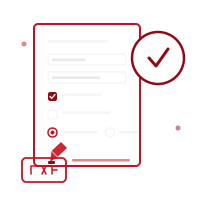
- اكتشاف تلقائي لجميع حقول النماذج التفاعلية في ملف PDF
- دعم كامل لحقول النص وخانات الاختيار وأزرار الراديو والقوائم المنسدلة
- قائمة حقول مرتبة حسب الصفحة في اللوحة الجانبية مع تتبع مباشر لتقدم التعبئة
- بحث في الحقول للانتقال السريع إلى إدخال معيّن في النماذج الطويلة متعددة الصفحات
- سجل تراجع/إعادة كامل لكل تغيير في الحقول، مع اختصارات لوحة المفاتيح
- وضع التسطيح الاختياري يدمج القيم في الصفحة بحيث لا يمكن تعديل النموذج بعد ذلك
- كل شيء يحدث على جهازك — لا تُرفع الملفات للمعالجة
- متوافق تمامًا مع iOS ومتصفحات الويب، مجاني الاستخدام
كيف يعمل
افتح ملف PDF للنموذج
حدد نموذج PDF التفاعلي الذي تريد تعبئته، أو اسحبه وأفلته في الواجهة. يتم اكتشاف جميع الحقول — مربعات النص وخانات الاختيار وأزرار الراديو والقوائم المنسدلة — تلقائيًا.
عبّئ الحقول
اكتب في الحقول النصية، اضغط على خانات الاختيار، اختر من خيارات الراديو، واختر من القوائم المنسدلة مباشرة على الصفحة أو من قائمة الحقول في اللوحة الجانبية. استخدم البحث للانتقال مباشرة إلى حقل في النماذج الطويلة.
سطّح المستند ونزّله
فعّل وضع التسطيح إذا كنت تريد قفل القيم المعبأة داخل المستند، أو اتركه معطلاً لإبقاء النموذج قابلاً للتعديل. نزّل ملف PDF النهائي بنقرة واحدة — يبقى ملفك الأصلي دون تغيير.
حدود
- ملف واحدPDF
- ملفاتك لا تغادر جهازك أبدًا. كل العمليات تتم محليًا — لا يُرسل شيء إلى خادم.
تختلف تكلفة الرصيد حسب الأداة. تحقق من التكلفة المعروضة قبل البدء؛ الرصيد الشهري لا يعني عددًا ثابتًا من العمليات. الأسعار
الأسئلة الشائعة
ما أنواع حقول نماذج PDF المدعومة؟
تُدعم جميع أنواع حقول AcroForm القياسية: مربعات النص، خانات الاختيار، مجموعات أزرار الراديو، وقوائم الاختيار المنسدلة. يحصل كل نوع حقل على عنصر إدخال يطابق وظيفته.
ماذا يفعل خيار التسطيح؟
عند تمكينه، يدمج التسطيح القيمة الحالية لكل حقل بشكل دائم في محتوى الصفحة ويزيل طبقة النموذج التفاعلية، بحيث تبدو النتيجة وتتصرف كملف PDF عادي غير قابل للتعديل. عطّله للحفاظ على حقول النموذج قابلة للتعديل في تطبيقات أخرى.
هل يمكنني التراجع عن خطأ أثناء تعبئة النموذج؟
نعم، يتم تتبع كل تغيير في الحقل في سجل تراجع/إعادة كامل. استخدم Ctrl+Z (أو Cmd+Z) للتراجع و Ctrl+Shift+Z للإعادة، أو أزرار التراجع/الإعادة في شريط الحالة.
ماذا يحدث إذا لم يحتوِ ملف PDF على حقول نماذج؟
ستُخبرك الأداة بعدم العثور على حقول قابلة للتعبئة. تحتاج ملفات PDF الثابتة غير التفاعلية إلى التحرير باستخدام محرر النص والتعليقات بدلاً من ذلك، والذي يتيح لك إضافة نص يدويًا في أي مكان على الصفحة.
هل يتم رفع ملفاتي إلى خادم؟
لا. تتم جميع معالجة PDF في متصفحك (أو على جهازك في تطبيق الهاتف). مستنداتك لا تُرسل أبدًا إلى خوادمنا.
هل توجد تطبيق هاتف؟
نعم! تطبيق Pofide مجاني للتنزيل على App Store. يشمل خطة مجانية؛ وخطط مدفوعة للاستخدام الإضافي.
ما حجم ملف PDF المدعوم؟
لا يوجد حد لحجم الملف. قد تستغرق الملفات الكبيرة جدًا وقتًا أطول حسب جهازك ومتصفحك.