Pofidemore than files
가격FAQ
로그인무료로 시작하기
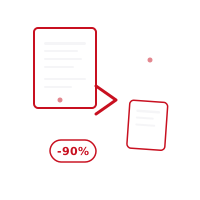
-90%

압축 PDF

Reduce PDF 파일 크기 by up to 90% without sacrificing 품질. 선택 between three compression levels — 밝음, balanced, or maximum — and watch your 텍스트 and vector graphics stay sharp while unnecessary 데이터 is cleaned up. Perfect for 이메일 attachments, web uploads, and storage. Everything happens on your 기기, your 파일 are never uploaded to a 서버.

무료로 시작하기대시보드로

무료 크레딧 · 신용카드 불필요

기능

기능

Smart compression algorithm that preserves visual 품질
Three compression levels: 밝음, balanced, and maximum
Optimized 모드 for scanned 문서 and 높음-resolution PDFs
Live before/after 미리보기 showing the 크기 you'll 저장
비밀번호 protection and permissions are preserved after compression
Everything happens on your 기기 — 파일 never reach a 서버
Fully compatible with iOS, Android, and web browsers, 무료 to use

사용 방법

사용 방법

01

Choose 회원님의 PDF

선택 the PDF you want to 압축, or 드래그 & 드롭 it into the interface. You can 업로드 several 파일 at once.

02

선택 a Compression Level

Pick 밝음 (10–20%), balanced (30–50%), or maximum (60–90%) compression based on your needs. See the 품질 difference with a live 미리보기.

03

압축 & 다운로드 Instantly

Once compression finishes, your file downloads automatically. 회원님의 original PDF stays exactly as it was on your device — nothing is ever stored.

사용 사례

대상 사용자

People sending large scanned 문서 as 이메일 attachments
Website owners optimizing downloadable PDF brochures for faster 로딩 중
클라우드 드라이브 저장 용량 제한이 있는 학생과 전문가
Businesses archiving 큰 volumes of 송장 and 계약서 efficiently

FAQ

자주 묻는 질문

Does PDF compression reduce visual 품질?
Our smart compression algorithm preserves 텍스트 and vector graphics 품질 while only cleaning up unnecessary 데이터. In 높음-품질 모드 the difference is barely noticeable.
What's the maximum 압축 I can achieve?
Depending on file content, compression of up to 90% is possible. 이미지-heavy PDFs can be compressed at higher ratios than text-heavy ones.
Does the compressed PDF keep its 비밀번호 protection?
Yes, existing password protection and permission settings are preserved during compression. 회원님의 security measures stay exactly as they were.
Which compression level should I 선택?
Use 밝음 compression when 품질 matters most, balanced for everyday sharing, and maximum when 파일 크기 is the priority — for example, attaching a large scanned 문서 to an 이메일.

관련 도구

병합 PDF분할 PDF정리 페이지자르기 페이지

귀하의 개인정보는 보호됩니다

모든 PDF 작업은 기기에서 이루어집니다. 문서가 서버에 업로드되지 않습니다.

무료로 시작하기
Pofidemore than files

더 스마트해진 PDF 처리. 웹과 모바일에서 안전하고 무료.

무료로 시작하기
Pofidemore than files

더 스마트해진 PDF 처리. 웹과 모바일에서 안전하고 무료.

무료로 시작하기

PDF 도구

  • 병합 PDF
  • 분할 PDF
  • 압축 PDF
  • 서명 PDF
  • PDF 보안
  • 편집 PDF
  • 정리 페이지
  • 추가 워터마크

변환 및 만들기

  • 이미지를 PDF로
  • 텍스트를 PDF로
  • QR / 바코드
  • Word를 PDF로
  • Excel을 PDF로
  • 슬라이드를 PDF로
  • PDF to 이미지
  • Zip / 압축풀기

회사

  • 가격
  • FAQ
  • 문의
  • 고객지원

법적 고지

  • 개인정보처리방침
  • 이용약관
  • 쿠키 정책
  • KVKK 고지
  • 계정 삭제
PDF 도구
  • 병합 PDF
  • 분할 PDF
  • 압축 PDF
  • 서명 PDF
  • PDF 보안
  • 편집 PDF
  • 정리 페이지
  • 추가 워터마크
변환 및 만들기
  • 이미지를 PDF로
  • 텍스트를 PDF로
  • QR / 바코드
  • Word를 PDF로
  • Excel을 PDF로
  • 슬라이드를 PDF로
  • PDF to 이미지
  • Zip / 압축풀기
회사
  • 가격
  • FAQ
  • 문의
  • 고객지원
법적 고지
  • 개인정보처리방침
  • 이용약관
  • 쿠키 정책
  • KVKK 고지
  • 계정 삭제

© 2026 Pofide. 모든 권리 보유.