Pofidemore than files
ราคาFAQ
เข้าสู่ระบบเริ่มต้นฟรี
-90%

บีบอัด PDF

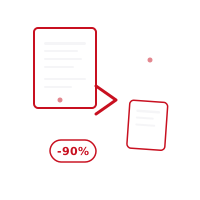
Reduce PDF ไฟล์ ขนาด by up to 90% without sacrificing คุณภาพ. เลือก between three compression levels — สว่าง, balanced, or maximum — and watch your ข้อความ and vector graphics stay sharp while unnecessary ข้อมูล is cleaned up. Perfect for อีเมล attachments, web uploads, and storage. Everything happens on your อุปกรณ์, your ไฟล์ are never uploaded to a เซิร์ฟเวอร์.

เริ่มต้นฟรีไปยังแดชบอร์ด

เครดิตฟรี · ไม่ต้องใช้บัตรเครดิต

คุณสมบัติ

คุณสมบัติ

Smart compression algorithm that preserves visual คุณภาพ
Three compression levels: สว่าง, balanced, and maximum
Optimized โหมด for scanned เอกสาร and สูง-resolution PDFs
Live before/after แสดงตัวอย่าง showing the ขนาด you'll บันทึก
รหัสผ่าน protection and permissions are preserved after compression
Everything happens on your อุปกรณ์ — ไฟล์ never reach a เซิร์ฟเวอร์
Fully compatible with iOS, Android, and web browsers, ฟรี to use

วิธีการทำงาน

วิธีการทำงาน

01

Choose ของคุณ PDF

เลือก the PDF you want to บีบอัด, or ลาก & วาง it into the interface. You can อัปโหลด several ไฟล์ at once.

02

เลือก a Compression Level

Pick สว่าง (10–20%), balanced (30–50%), or maximum (60–90%) compression based on your needs. See the คุณภาพ difference with a live แสดงตัวอย่าง.

03

บีบอัด & ดาวน์โหลด Instantly

Once compression finishes, your file downloads automatically. ของคุณ original PDF stays exactly as it was on your device — nothing is ever stored.

กรณีการใช้งาน

เหมาะสำหรับใคร

People sending large scanned เอกสาร as อีเมล attachments
Website owners optimizing downloadable PDF brochures for faster กำลังโหลด
นักเรียนและมืออาชีพที่มีข้อจำกัดพื้นที่จัดเก็บในไดรฟ์คลาวด์
Businesses archiving ใหญ่ volumes of ใบแจ้งหนี้ and สัญญา efficiently

FAQ

คำถามที่พบบ่อย

Does PDF compression reduce visual คุณภาพ?
Our smart compression algorithm preserves ข้อความ and vector graphics คุณภาพ while only cleaning up unnecessary ข้อมูล. In สูง-คุณภาพ โหมด the difference is barely noticeable.
What's the maximum การบีบอัด I can achieve?
Depending on file content, compression of up to 90% is possible. รูปภาพ-heavy PDFs can be compressed at higher ratios than text-heavy ones.
Does the compressed PDF keep its รหัสผ่าน protection?
Yes, existing password protection and permission settings are preserved during compression. ของคุณ security measures stay exactly as they were.
Which compression level should I เลือก?
Use สว่าง compression when คุณภาพ matters most, balanced for everyday sharing, and maximum when ไฟล์ ขนาด is the priority — for example, attaching a large scanned เอกสาร to an อีเมล.

เครื่องมือที่เกี่ยวข้อง

รวม PDFแบ่ง PDFจัดระเบียบ หน้าครอบตัด หน้า

ความเป็นส่วนตัวของคุณได้รับการปกป้อง

การดำเนินการ PDF ทั้งหมดเกิดขึ้นบนอุปกรณ์ของคุณ เอกสารของคุณไม่เคยถูกอัปโหลดไปยังเซิร์ฟเวอร์ของเรา

เริ่มต้นฟรี
Pofidemore than files

การประมวลผล PDF ที่ชาญฉลาดยิ่งขึ้น บนเว็บและมือถือ ปลอดภัยและฟรี

เริ่มต้นฟรี
Pofidemore than files

การประมวลผล PDF ที่ชาญฉลาดยิ่งขึ้น บนเว็บและมือถือ ปลอดภัยและฟรี

เริ่มต้นฟรี

เครื่องมือ PDF

  • รวม PDF
  • แบ่ง PDF
  • บีบอัด PDF
  • เซ็น PDF
  • PDF ความปลอดภัย
  • แก้ไข PDF
  • จัดระเบียบ หน้า
  • เพิ่ม ลายน้ำ

แปลงและสร้าง

  • รูปภาพเป็น PDF
  • ข้อความเป็น PDF
  • QR / บาร์โค้ด
  • Word เป็น PDF
  • Excel เป็น PDF
  • สไลด์เป็น PDF
  • PDF to รูปภาพ
  • Zip / แตกไฟล์

บริษัท

  • ราคา
  • FAQ
  • ติดต่อ
  • ฝ่ายสนับสนุน

ข้อกฎหมาย

  • นโยบายความเป็นส่วนตัว
  • ข้อกำหนดในการให้บริการ
  • นโยบายคุกกี้
  • คำชี้แจง KVKK
  • ลบบัญชี
เครื่องมือ PDF
  • รวม PDF
  • แบ่ง PDF
  • บีบอัด PDF
  • เซ็น PDF
  • PDF ความปลอดภัย
  • แก้ไข PDF
  • จัดระเบียบ หน้า
  • เพิ่ม ลายน้ำ
แปลงและสร้าง
  • รูปภาพเป็น PDF
  • ข้อความเป็น PDF
  • QR / บาร์โค้ด
  • Word เป็น PDF
  • Excel เป็น PDF
  • สไลด์เป็น PDF
  • PDF to รูปภาพ
  • Zip / แตกไฟล์
บริษัท
  • ราคา
  • FAQ
  • ติดต่อ
  • ฝ่ายสนับสนุน
ข้อกฎหมาย
  • นโยบายความเป็นส่วนตัว
  • ข้อกำหนดในการให้บริการ
  • นโยบายคุกกี้
  • คำชี้แจง KVKK
  • ลบบัญชี

© 2026 Pofide. สงวนลิขสิทธิ์